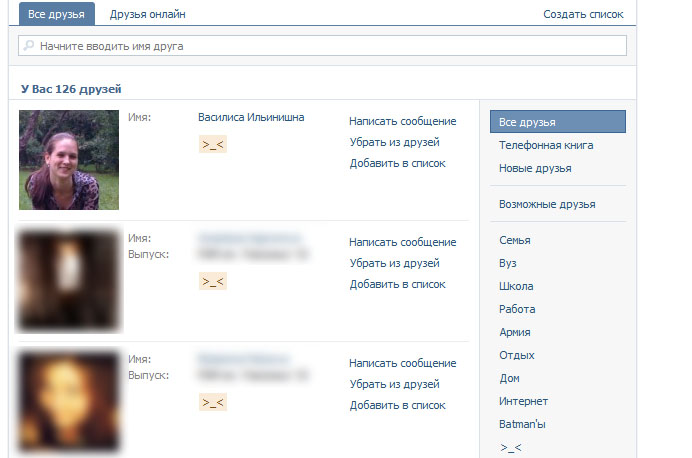
Click on the friends and my eye catches someone, Who would not want to see. And of course I would like to remove it from there, for example I go and assume, that pisses me off like this chick
so, At first, you need to learn it id (ID,). It's enough to bringbutton “Send a message” and Press Right mouse button->copy the link.
Recently, a clever man advised to encrypt their data, I had somehow never thought, but it's really important nuance. Like the question immediately arises: “And why once hemorrhoids?”. it, of course, pertinent question, but, At first, Safety never hurts, Secondly: “Simply steal a flash drive from the office worker, to dig up dirt on office, and no need to buy pricey sniffers and hire steep cool hatskerov” — quote from the speech of the most intelligent man.
In general, there are many program for encrypting, but most of them I have never seen. I'm only the yuzal, who advised — TrueCrypt . The program is absolutely free, open source, It uses a variety of popular encryption algorithms(AES,Blowfish and others), The program does not need to install(that is, it does not store anything in the registry or in the AppData folder) . The program can encrypt the entire disk at once (USB flash drive, external HDD, etc.), You can also create a certain encrypted “container”, that looks like a file, and to read or write data to, you need to connect this file as “new volume” or “virtual flash card”, on this, of course, Administrator rights are required, since the program uses a file system driver.
Well, move on to practice. Then you come home, and then Dad learned to use a computer (Well or sister, Mama, cat or hamster — no matter who, thing, that you want to hide from prying eyes this data). Here for example your files, that you would like to hide from prying eyes:
Apple of course famous for its gags,they are there in the company explicitly fanatics, having an addiction to spy things, and so on. Prof at the university told, that photo file, taken with iPhone camera EXIF data contains GPS coordinates of the location, where this photo was taken. Once home, I decided to make sure. To do this, ACDSee Pro opened and found a picture, snyatuyu of yablofon. opened photo, hit right click->properties or Alt Enter and right there were properties, which can be seen in GPS coordinates
Prof even spoke, that through these ph of simple things have been able to uncover a few criminal cases of car theft(Well hijackers type fotkali stolen cars on the iPhone and laid, to sell). Generally this is not new for our time, that the pictures stored in the so-called Geotagging. Now, most phones support vstraivaenie geotags to photos, so be careful, when you are trying to post pictures, shot yablofonom and other devices, that record geotags.
So today had nothing to do, I looked out the window — weather like normal, and
thought to try to make multiple profiles in the browser Opera. B Mozilla Firefox this is not difficult, and it is written everywhere, including the official website of chanterelles. But when I started googling about Opera, it did not find an interesting niche or are very long and boring instructions. After some trouble with this all figured, All that could be done a lot easier. (Guide goes further) Continue reading →
Here is my friend helped to understand, read and unread messages is different VKontakte!
For example here:
Of course then I stared for a long time and yet noticed, that unread messages bit on bluish background. But damn no contrast! I've already decided to deal with this, and the pancake for all the period that stupid social network I never did not notice!
To fill an entire playlist of music in GTA4, to another and disk space seknomit?
I sometimes zadalbyvat standard music in GTA IV, and probably there will be people like me, which zadalbyvat Muzychko in GTA. Well, I just wanted to example, to GTA was Tatar Muzychko.
To ensure your tracks are played in the GTA, should throw the tracks in a folder “My Documents Rockstar Games GTA IV User Music” . However, I have a lot of music and I wanted to fill in only one playlist, and copy 3 gig I somehow did not want to. There is a caveat — themselves instead of mp3 files can throw labels on them (label weighs only a couple of kilobytes). So I wrote script , which creates shortcuts to the files in the playlist format *.m3u .
What should be done
Open any player, able to work with playlists M3U. say there Winamp or AIMP, I took AIMP.
Click on the button in the form of a list, or just click on the keyboard “CTRL+S” and save the playlist format M3U. Now, next to the saved playlists put our script and open it and edit the bookmark through the first two lines
PlaylistName =”imya playlist.m3u”
ShortcutsFolder = “The path to the folder, where to save shortcuts“
Then we need to save the changes and run the script by double-clicking